Slides
Wildcards in seven slides.
User guide
From a folder of text files to a filled prompt.
- Put wildcard files where ComfyUI can see themPlain
.txtfiles, one entry per line, in thewildcardsfolder next tomodels. Sub-folders are fine. To use a library kept somewhere else, add its folder under Options in the Manager once. - Open the ManagerPress
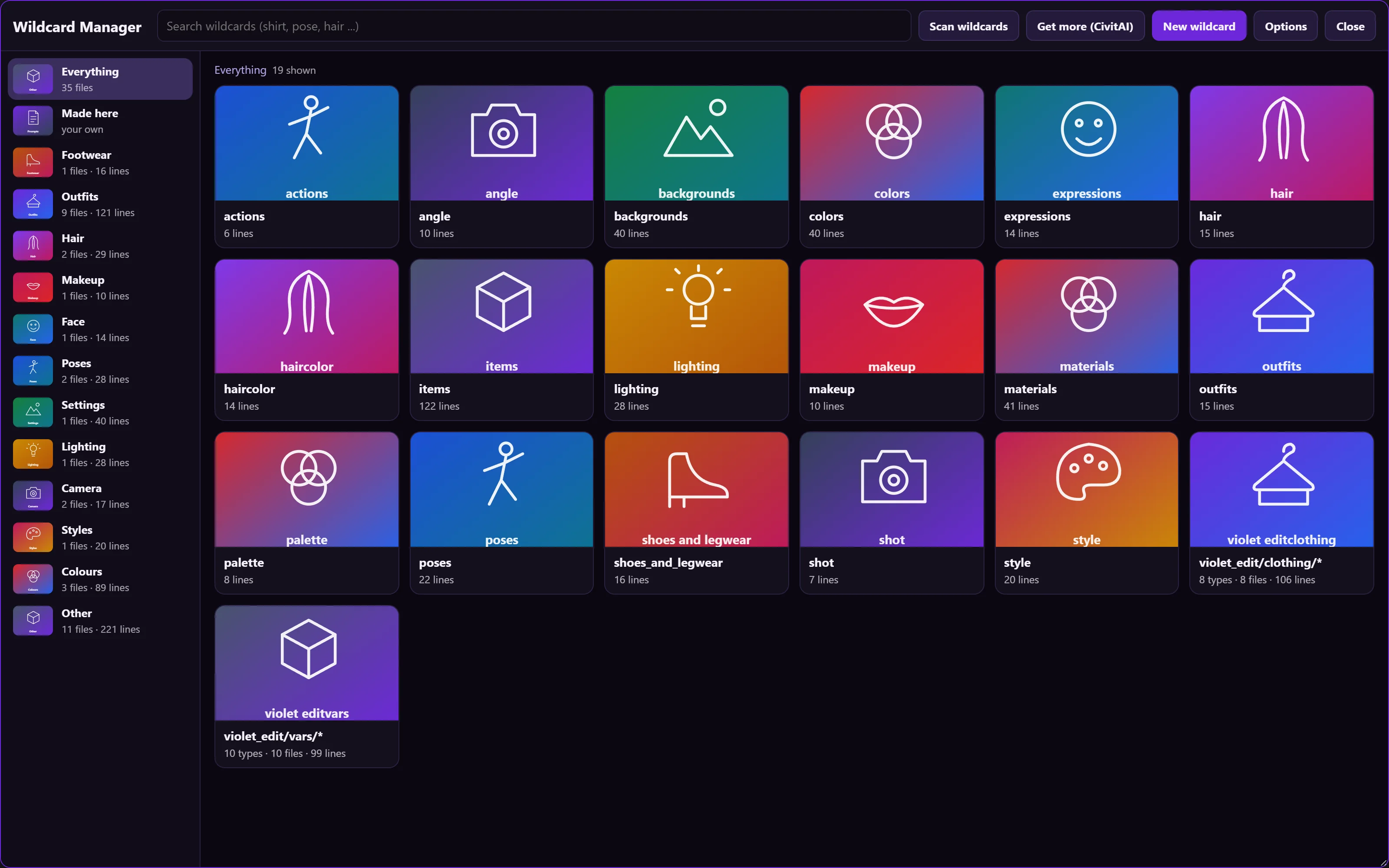
Ctrl+Alt+W, use the Extensions menu, the Manage wildcards button on any wildcard node, or the Wildcards tab of the Violet sidebar. A scan of four thousand files takes about two seconds and is kept, so the next open is instant. - Find a fileFiles are sorted into categories (hair, makeup, pose, outfit, lighting, camera, colour and more). Files that differ only by age, body type or gender are grouped into one card. Search matches names and lines.
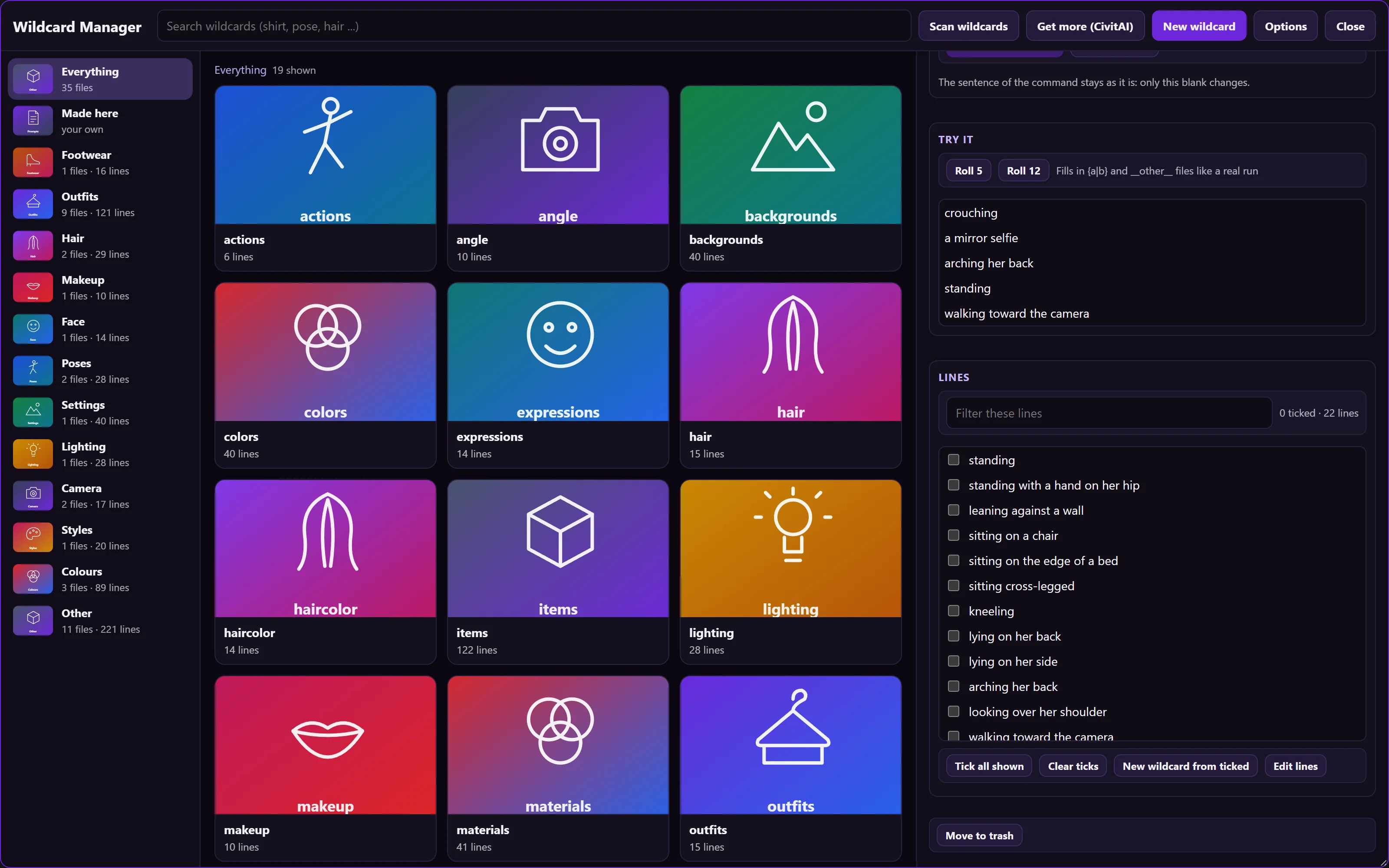
- Try itOpen a card and press Roll 5 or Roll 12. The result uses the same engine as the nodes, including
{a|b}choices and files pulled in with__name__. - Add a Wildcard Picker V2 to your workflowEach slot is a card. Choose opens the browser, Roll keeps a random line, a line number of 0 picks from the seed. The
textoutput goes into any prompt box. - Fill one blank of an editConnect the picker's
edit_wildcardsoutput to the Edit Command, or write lines such aspose = __violet_edit/poses__in its wildcards box. The sentence of the command stays as it is. - Write your ownNew wildcard takes words, a combination of files, a list written by your language model, or pictures described by a vision model. Your files are saved apart from the library, and moving one to the trash brings the original back.
Large word libraries are not part of any release. Point the Manager at the folder you have.
In the Violet nodes
The wildcard parts, and where they live.
Wildcard Manager
window · Ctrl+Alt+WScan, categories with pictures, a detail drawer with a roll test and an editor, the four ways to make a new file, and the folder options.
Wildcard Picker V2
node · violet-toolboxTen card slots with a picture, a line stepper, Choose, Roll, Random and Clear. Outputs the joined text, the Edit Command lines, and each pick on its own.
Wildcard Picker
node · violet-toolboxThe original: up to four files, a line number each, a separator and text before and after. Same seed, same picks.
Edit Command wildcards
node · comfyviolet-solar-violetA box with one line per blank. Each line fills one part of the sentence; the rest is unchanged.
Run this node
button · text nodesEvery Violet node that asks a language model for text can run on its own, with only what it needs. A fixed seed returns the same text; change the seed for a new one.
Violet Wildcards
word lists · 35 filesClothing by group, colours, materials, backgrounds, lighting, poses, expressions, outfits and the Edit Command word lists (hair, make-up, weather, season, shot, angle, palette and more). One entry per line; all people are adults.
Reference
The syntax, in one table.
| Write | Result |
|---|---|
__poses__ | One line from the file poses. |
__violet_edit/poses__ | One line from a file in a folder. |
{red|blue} | One of the two, chosen by the seed. |
3::a rare line | A weighted line: three times as likely as one without a weight. |
# note | Ignored: lines starting with # are comments. |
pose = __poses__ | In the Edit Command wildcards box: fills the pose blank. |
Get it
Part of Violet nodes 1.10.0.
Built, not yet released.
The Manager and both pickers are in the 322-node Violet pack. As individual packs, the pickers are in violet-toolbox and the Edit Command is in comfyviolet-solar-violet. The word lists are their own small pack, violet-wildcards: copy its violet_edit folder into your wildcards folder and the Manager, the picker and the Edit Command list the files as violet_edit/....